
Spaces Optimized for Competitive Performance
Premium Gaming Room Design & Integration in Smyrna for gamers requiring minimized latency, organized equipment management, and immersive multi-screen configurations
Gaming environments optimized for performance require more than mounting displays and connecting consoles—latency, refresh rates, audio directional awareness, and equipment organization directly affect competitive outcomes and immersion quality. City home theater creates dedicated gaming spaces throughout Smyrna where console integration, hidden wiring solutions, and high-refresh-rate display configurations support the responsiveness that separates casual setups from purpose-built gaming rooms. The design process accounts for your preferred platforms, room dimensions, and whether you're prioritizing competitive FPS performance or cinematic single-player immersion.
Gaming room integration focuses on minimizing input lag between controller actions and on-screen response while maximizing display refresh rates and audio positioning that provide competitive advantages through better spatial awareness. Multi-screen setups require careful consideration of viewing angles, bezel gaps, and whether displays will be used simultaneously for gameplay or dedicated to streaming, Discord, and secondary content.
Discuss your preferred platforms, room dimensions, and performance goals before finalizing equipment selections.
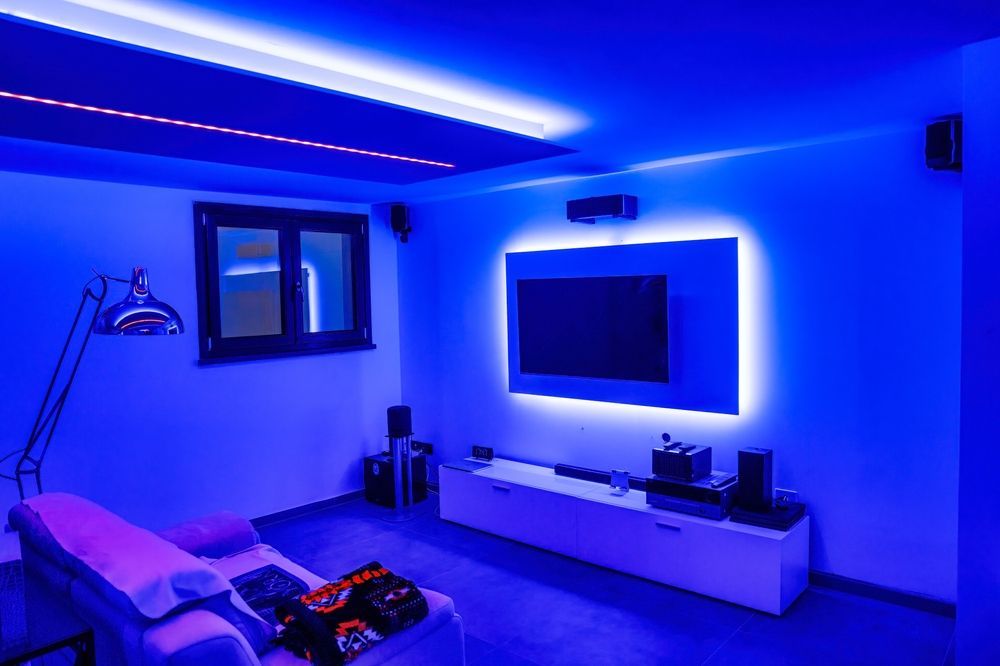
What Changes After Proper Gaming Integration
Integration begins with display selection based on refresh rate requirements, response time specifications, and whether you're gaming on PC, console, or both—because input lag tolerances differ significantly between competitive shooters and story-driven titles. Audio systems are optimized to provide directional awareness that allows you to hear footsteps, gunfire, and environmental cues with positional accuracy that improves reaction time and tactical decision-making during gameplay.
Once the room is fully integrated, you'll notice that controller inputs translate to on-screen actions without the perceptible delay that affects timing-dependent gameplay, audio cues provide clear directional information that helps you locate opponents before visual confirmation, and equipment remains organized through hidden wiring solutions rather than cable clutter that complicates device switching and future upgrades. Lighting and seating placement reduce eye strain during extended sessions while maintaining visibility of screens without glare or reflections.
The design accommodates future equipment additions as gaming technology evolves, whether that involves adding VR systems, upgrading to higher-resolution displays, or expanding storage solutions for growing game libraries across multiple platforms. Organized equipment management simplifies troubleshooting and device switching without crawling behind furniture or disconnecting multiple cables.
Answers to Frequent Service Questions
Gaming room design decisions affect performance, comfort, and how easily the space adapts to new equipment as technology advances.
What causes input lag in gaming setups?
Input lag results from display processing time, wireless controller latency, and post-processing features like motion smoothing that add frame delay between your controller input and the corresponding on-screen action—gaming-optimized displays minimize these delays through dedicated low-latency modes.
How does audio positioning improve competitive gameplay?
Directional audio allows you to hear opponent movement, gunfire origin, and environmental cues with positional accuracy that provides tactical advantages, particularly in competitive shooters where hearing footsteps behind you or locating enemy positions by sound determines survival and match outcomes.
When should displays prioritize refresh rate over resolution?
Competitive multiplayer gaming benefits more from 120Hz or 144Hz refresh rates that provide smoother motion tracking and faster response times than higher 4K resolution, while single-player cinematic games often prioritize visual detail over frame rate depending on your performance preferences.
Why does seating placement matter for gaming rooms in Smyrna?
Seating distance affects your ability to track on-screen movement without excessive eye strain, and positioning relative to display height determines viewing angles that prevent neck fatigue during extended gaming sessions where comfort directly impacts performance over multiple hours.
What becomes easier after hidden wiring installation?
Device switching between consoles, PC, and streaming equipment happens without disconnecting cables, future upgrades integrate cleanly without adding visible wire clutter, and troubleshooting connection issues becomes straightforward when each device route is clearly organized rather than tangled behind equipment racks.
City home theater structures gaming room designs around your actual gameplay priorities, whether that means competitive performance, streaming production, or immersive single-player experiences. Request a detailed consultation to review your platform preferences, room layout, and specific performance requirements.